Table of Contents
When we show up to wire a home or small business for networking, we bring specific equipment that we’ve tested on dozens of installs. This isn’t a generic “top 10 list” - this is the exact gear our team uses in the field every week in Bucks and Montgomery County.
Whether you’re hiring a pro or doing a DIY network closet build, this is the equipment list you need.
The Rack: NavePoint 12U Wall-Mount Cabinet
Our pick: NavePoint 12U Wall-Mount Server Rack
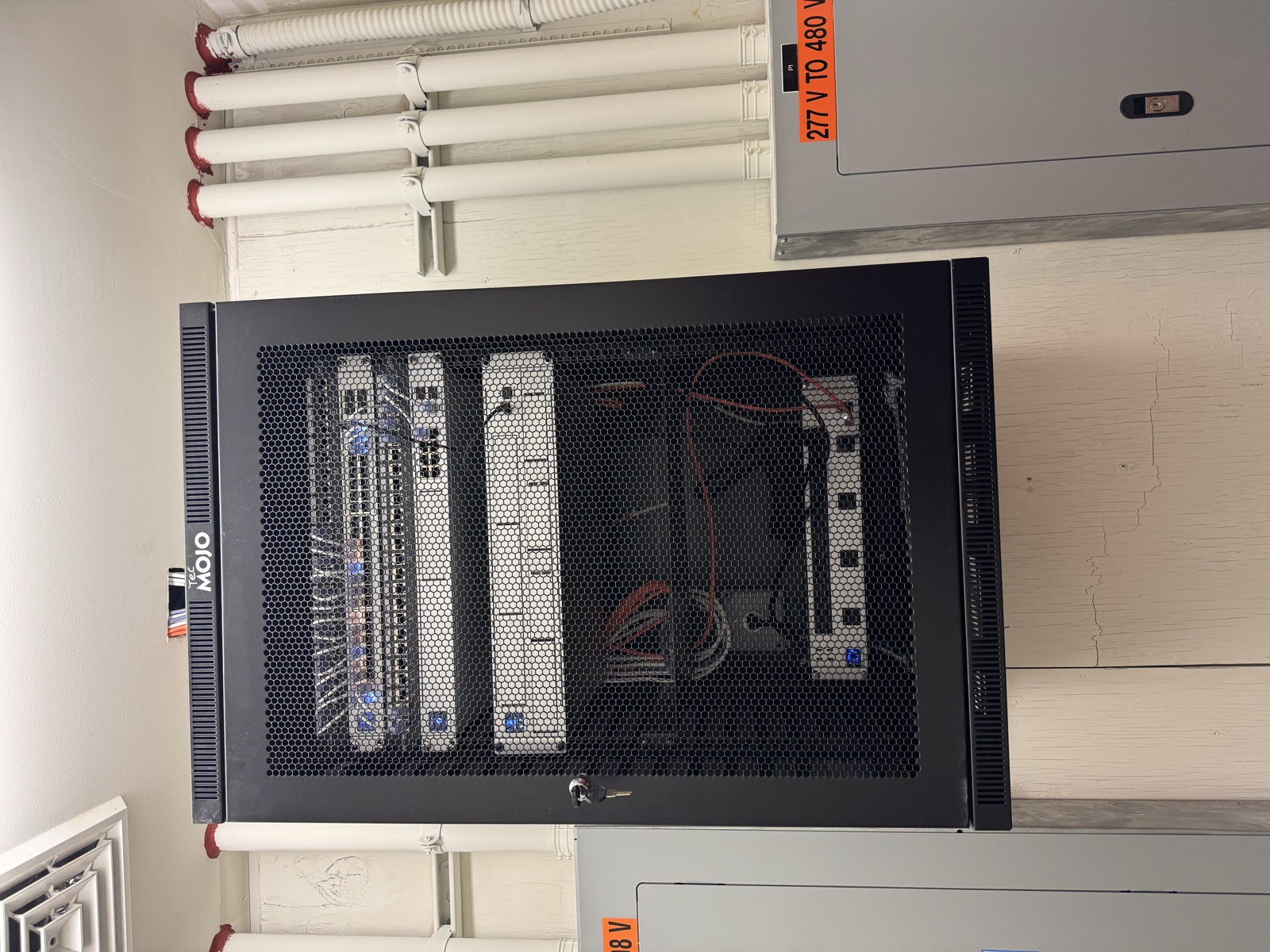
Every clean network setup starts with a proper rack. We use the NavePoint 12U wall-mount cabinet on most residential and small business jobs. 12U gives you enough space for a patch panel, switch, NVR, UPS, and a shelf - without taking up floor space.
Why we like it:
- Wall-mounted keeps it off the floor and out of the way
- Locking door keeps curious hands out
- 12U is the sweet spot - enough room without being overkill
- Solid build quality at a reasonable price
- Fits in a closet, utility room, or basement
Pro tip: Mount it at a height where the patch panel is at eye level. You’ll thank yourself later when you’re tracing cables.
Patch Panel: iwillink Cat6 Shielded
Our pick: iwillink Cat6 Shielded Patch Panel
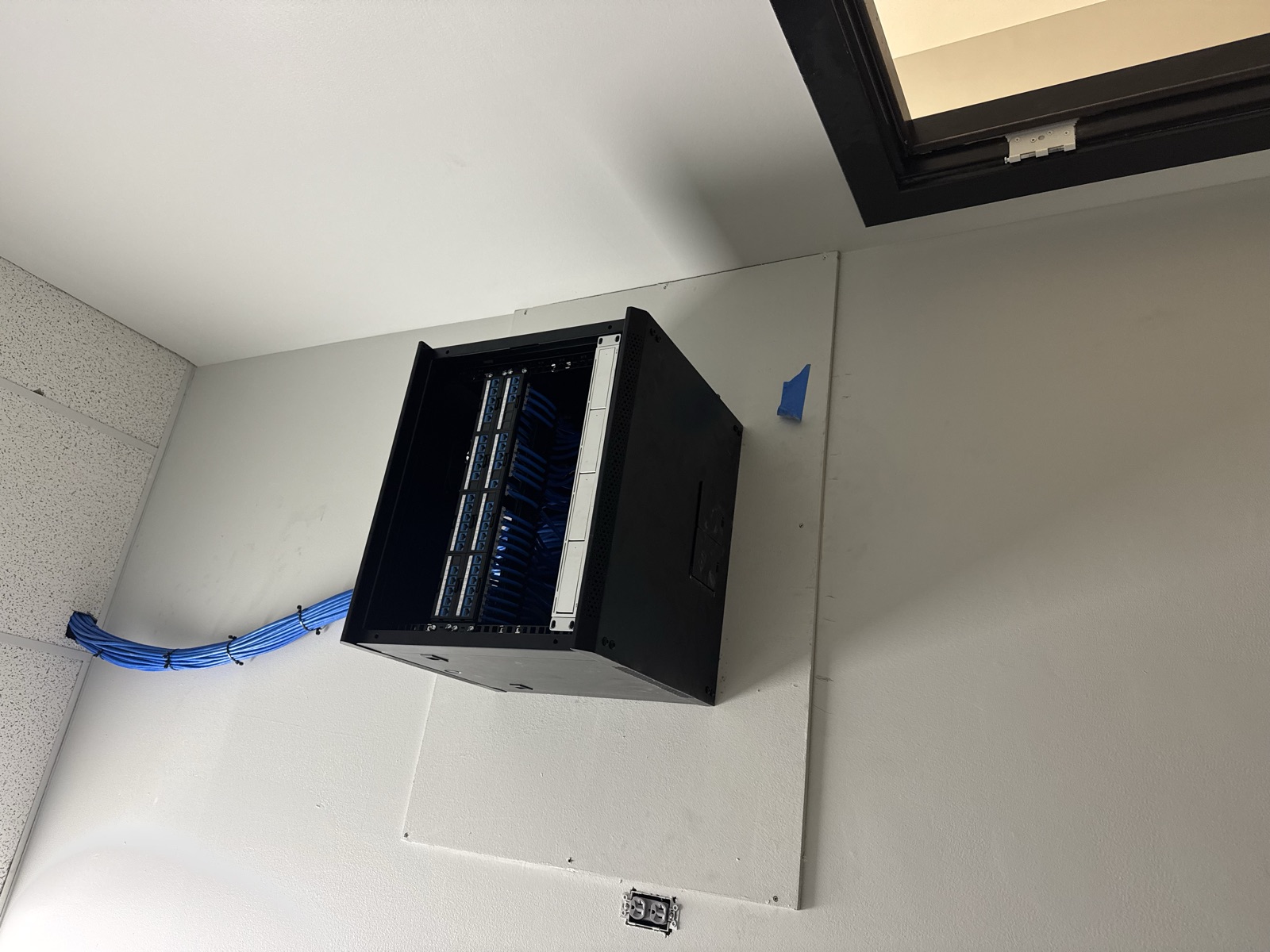
The patch panel is the central hub where all your cable runs terminate. We use the iwillink Cat6 shielded panels because they’re affordable, the shielding actually matters (especially in homes with older wiring that can cause interference), and they’re compatible with standard 110-punch-down tooling.
Why we like it:
- Shielded - reduces electromagnetic interference
- Works with wall-mount or rack-mount setups
- Solid build quality for the price
- Standard keystone layout - easy to work with
Pro tip: Label every port during installation. Use a label maker, not a Sharpie. Future you (or the next tech) will appreciate it.
Keystones: TrueCable Cat6 Shielded Toolless
Our pick: TrueCable Cat6 Shielded Toolless Keystones
Keystones are the connectors at each end of your cable runs - in the wall plates and in the patch panel. We switched to TrueCable’s toolless keystones and haven’t looked back. No punch-down tool needed, the shielding is built in, and termination takes about 30 seconds per keystone.
Why we like it:
- Toolless design - snap the wires in, close the cap, done
- Shielded to match shielded cable runs
- Consistent performance on cable testing
- TrueCable as a brand is focused on quality - they’re not a random Amazon brand
Pro tip: Always terminate both ends of every run the same day. If you leave bare cable ends sitting for days, moisture and dust can degrade the connection.
Security Camera Storage: WD Purple Surveillance Drives
Our pick: Western Digital Purple Surveillance Hard Drive
If you’re running security cameras (and we install a lot of them), the NVR needs a hard drive built for 24/7 recording. WD Purple drives are specifically designed for surveillance - they handle constant write operations without the premature failure you’d get from a regular desktop drive.
Why we like it:
- Built for 24/7 surveillance recording
- AllFrame technology reduces frame drops
- Available in 1TB through 8TB - we typically install 4TB+
- 3-year warranty
- Industry standard - works with every NVR we install
Pro tip: Size your drive for at least 30 days of recording at your camera resolution. A 4TB drive handles 4-6 cameras at 1080p for about 30 days. For 4K cameras, go 6TB or 8TB.
Camera Mounting: compcctv Adjustable Arm Mount
Our pick: compcctv Adjustable Security Camera Arm Mount
Not every camera install has a flat surface at the perfect angle. This adjustable arm mount solves that problem. We use it when cameras need to be mounted under eaves, on soffits, or anywhere the angle isn’t ideal with a standard mount.
Why we like it:
- Universal mount - fits most bullet and dome cameras
- Adjustable arm gets the camera angle exactly right
- Solid aluminum construction
- Works on walls, ceilings, soffits, and overhangs
Pro tip: Always run the cable through the arm and into the wall. Exposed cable is an invitation for tampering and looks unprofessional.
Travel Router: GL.iNet Beryl AX (MT3000)
Our pick: GL.iNet Beryl AX (MT3000) Travel Router
This one’s a tech tool we carry personally. The GL.iNet Beryl is a pocket-sized Wi-Fi 6 router that we use on job sites for network testing, as a temporary AP during installs, and for travel. It also runs OpenWrt, so it doubles as a VPN gateway.
Why we like it:
- Pocket-sized but full Wi-Fi 6 performance
- Runs OpenWrt - fully configurable
- Built-in VPN client (WireGuard, OpenVPN)
- Great for testing network drops before the main equipment arrives
- USB-C powered - runs off a battery pack if needed
USB-C Hub: Anker 7-in-1
Our pick: Anker USB-C Hub (7-in-1 Aluminum)
Every tech needs a reliable USB-C hub for their laptop. We use the Anker 7-in-1 - it gives you HDMI, USB-A ports, Ethernet, and SD card slots in one compact aluminum body. Anker’s build quality is consistently excellent.
Why we like it:
- 7 ports in a compact body
- Aluminum build dissipates heat well
- Ethernet port for wired diagnostics
- Anker warranty and support is reliable
Putting It All Together
Here’s what a typical residential network closet install looks like with this equipment:
- Mount the rack - NavePoint 12U on the wall in the basement, utility room, or dedicated closet
- Install the patch panel - iwillink shielded panel at the top of the rack
- Run cable - Cat6 shielded from every room back to the patch panel, terminated with TrueCable keystones on both ends
- Add your switch - Below the patch panel (we typically install UniFi or TP-Link managed switches)
- Mount your NVR - With a WD Purple drive for camera storage
- Add a UPS - Battery backup at the bottom of the rack to keep everything running during power blips
- Label everything - Every port, every cable, every device
The whole setup is clean, maintainable, and built to last.
Need Help With Your Network Setup?
If you’re in Bucks County or Montgomery County and want a professional network closet installation, structured cabling, or security camera system, we’d love to help. We handle everything from running the cable to configuring the equipment.
Get a Free Estimate or call us at (215) 974-0720.
Frequently Asked Questions
How much does a network closet install cost? A basic setup (rack, patch panel, switch, 4-6 cable runs) typically runs $1,500–$3,000 depending on the home layout and number of runs. Larger homes or businesses with 12+ runs will be more.
Can I install this myself? The equipment setup is DIY-friendly if you’re handy. The cable running and termination is where most people struggle - fishing cable through walls requires experience and specialized tools.
Do I need shielded cable and components? For most homes, unshielded Cat6 works fine. We use shielded in homes with older electrical wiring or when cable runs are near electrical panels, HVAC equipment, or fluorescent lighting - basically anywhere electromagnetic interference might be an issue.
How many ethernet drops do I need? We recommend at least one drop per room you use regularly, plus dedicated drops for your office, TV/entertainment center, and any security camera locations. Most homes end up with 8-12 drops.
What about Wi-Fi - do I still need cable? Yes. Wired connections are faster, more reliable, and lower latency. Your Wi-Fi access points should be connected via ethernet for best performance. We wire the backbone, then strategically place APs for full wireless coverage.
Sponsored
Need a Licensed Electrician?
Serving Bucks & Montgomery County. Free estimates on all projects.
Get Your Free EstimateNeed Help With This?
Graff's Electric & IT Solutions is here to help with all your electrical and technology needs in Bucks & Montgomery County.