 IT & Networking
 Table of Contents
Most small business owners do not think much about their server rack until something goes wrong. The network goes down mid-afternoon, a drive fails and nobody is sure which unit is making noise, or a technician opens the rack door and spends 20 minutes tracing cables before touching anything. These are not random problems. They are the predictable results of a rack that was built without a plan. Getting your server rack setup right from the beginning - or cleaning up one that has grown chaotic over time - is one of the highest-return IT investments a small business can make. This guide covers exactly what belongs in a rack, how to size and organize it, and what separates a professional installation from a DIY attempt that causes headaches for years.
What Actually Goes Inside a Business Server Rack
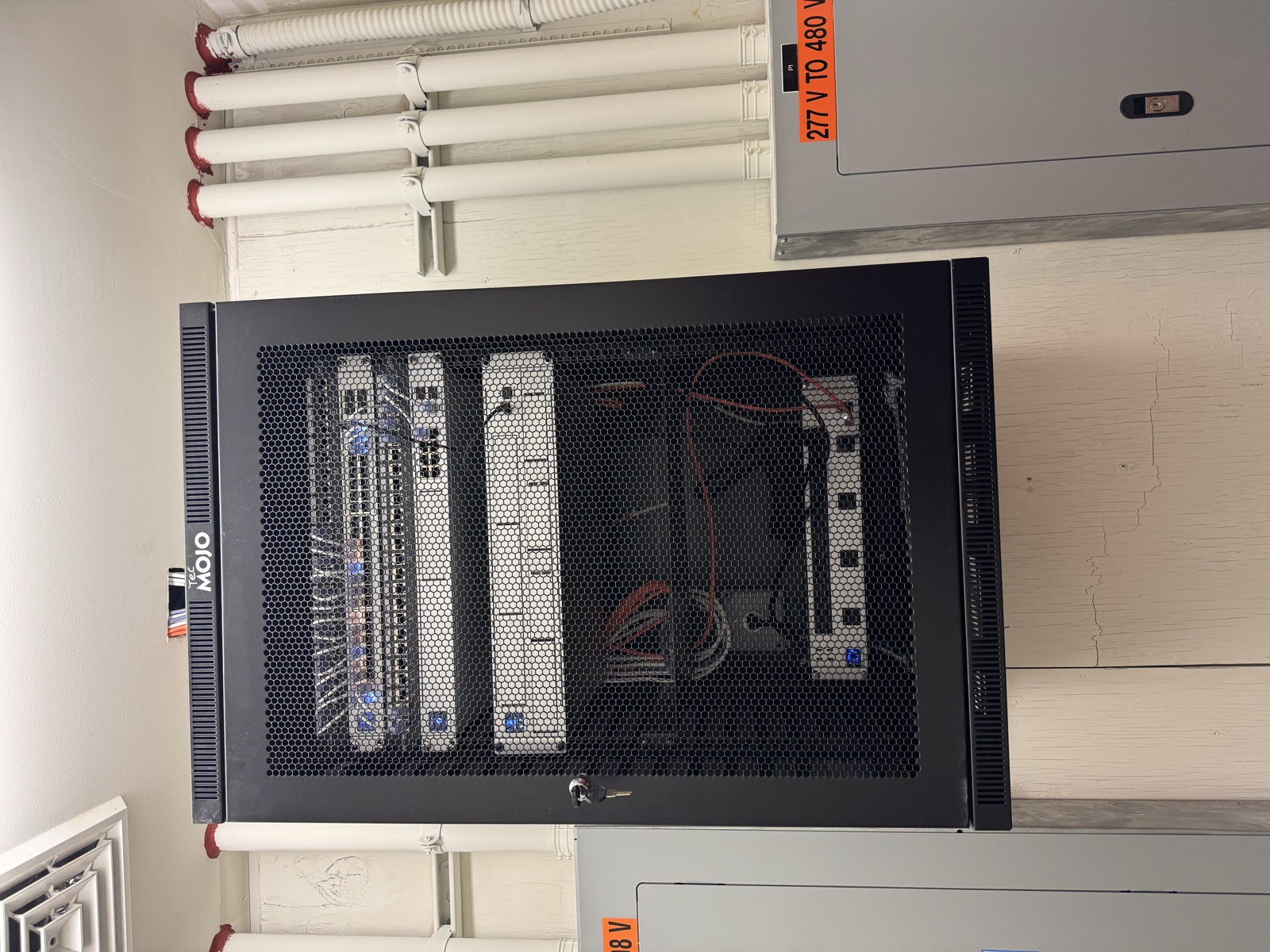
A server rack is a standardized metal enclosure designed to house equipment in uniform 1.75-inch units, abbreviated as “U.” Every piece of rack-mountable equipment - servers, switches, patch panels, UPS units, cable managers - is measured in U height. A typical small business rack runs anywhere from 12U to 42U tall, and understanding what fills those units is the starting point for any server rack setup.
Servers are the obvious anchor of any rack. For a small business, this might be a single tower server converted to rack-mount, a 1U or 2U rack server running file storage or a line-of-business application, or a cluster of compact servers for virtualization. Businesses in Bucks County running Windows Server environments or Linux-based systems all land somewhere in this range.
Network switches handle all the traffic moving between devices, between floors, and to the internet. A managed switch in the rack is where all the structured cabling from workstations and access points terminates. A 24-port or 48-port switch is standard for small business deployments, and some setups include a separate switch dedicated to VoIP phones or security cameras.
Patch panels are the organized interface between the permanent cabling runs in your walls and the active equipment in your rack. Every cable run from a wall jack lands at a port on the patch panel. Short patch cables then connect those ports to the switch. Without a patch panel, cables run directly from the switch to the wall, creating a mess that is nearly impossible to manage cleanly.
UPS (Uninterruptible Power Supply) units protect your equipment from power outages, surges, and the brief interruptions that cause servers to crash unexpectedly. A UPS sits at the bottom of the rack - its weight belongs low - and provides battery backup measured in volt-amperes (VA) or watts. Sizing the UPS correctly means adding up the power draw of everything plugged into it and buying a unit rated for that load with enough runtime to allow a graceful shutdown.
PDUs (Power Distribution Units) are the power strips of the rack world. A basic rack PDU provides multiple outlets in a 1U form factor, keeping power connections organized. Managed PDUs go further, allowing remote outlet control and power monitoring per port - useful for cycling power on a frozen device without a physical visit to the rack.
Cable managers - horizontal 1U or 2U panels with routing guides - look like empty space until you have lived without them. They keep patch cables from drooping across active equipment, make it possible to add or remove cables without disturbing neighbors, and make the rack look intentional rather than assembled in the dark.
Sizing Your Rack: Getting the Height and Depth Right
The most common server rack setup mistake small businesses make is buying a rack that fits today’s equipment with no room to grow. A rack that is 80 percent full on day one is a problem that surfaces six months later when you add a new server or a second switch.
A reasonable rule for small business server rack setup is to fill no more than 60 to 70 percent of the rack at initial installation. Leave deliberate empty U space for growth. A 24U rack that holds 15U of equipment today has runway for expansion without requiring a second enclosure.
Depth matters as much as height. Standard equipment depth is 29 inches, and most rack servers, UPS units, and managed switches are built to that specification. The rack itself needs to be at least that deep, with additional space for cable routing at the rear. Shallow-depth racks - sometimes sold for home lab use - will not fit enterprise server equipment. Businesses in Montgomery County running any brand of rack server should plan for a rack with at least 36 inches of total depth.
Width is standardized at 19 inches for the equipment mounting rails. The outer footprint of the rack cabinet is wider, typically 24 inches, to accommodate the frame, door, and side panels.
Open-frame racks work fine in dedicated IT rooms with controlled access and temperature management. Four-post enclosed cabinets with locking front and rear doors are the better choice for any rack that sits in a space accessible to non-IT staff - which describes most small business environments in Doylestown, Lansdale, Warminster, and the surrounding area.
Cable Management: The Difference Between a Pro Rack and a Disaster
Ask any IT technician what separates a well-built rack from a liability, and cable management comes up immediately. This is not aesthetics. Cable chaos has real operational consequences.
A rack full of unlabeled, tangled cables means that troubleshooting a single connection requires tracing wire through a knot of similar-looking cables - often while the business is down. Adding a new device requires excavating a rat’s nest. Replacing a failed switch means disconnecting cables in a random order and hoping nothing critical is disrupted.
Professional server rack cable management follows a consistent logic: every cable is labeled at both ends before it is routed. Patch cables are sized to the run - not the longest patch cable in the drawer, but the right length for the distance between the patch panel port and the switch port. Cables are grouped by function and routed through horizontal managers. Velcro straps keep bundles together without the permanent grip of zip ties, which make future changes harder. Power cables are routed separately from data cables to reduce interference.
Color coding adds another layer of clarity. Many shops use a consistent scheme: blue for workstation data runs, yellow for uplinks and inter-switch connections, red for VoIP, green for management interfaces. Whatever scheme you choose, document it and apply it consistently.
The rear of the rack needs as much attention as the front. Server power cables, switch uplinks, and UPS connections routing through the back can become as chaotic as the front face if nobody manages them deliberately. Rear-mounted cable trays and velcro bundling keep the back of the rack navigable.
Power and Cooling: What Gets Overlooked Until It Fails
Equipment fails faster and more often when it runs hot. Cooling is not optional in a serious server rack setup - it is what determines whether your investment lasts five years or fifteen.
Rack equipment pulls air from the front and exhausts heat from the rear. The room where the rack lives needs to be able to remove that heat. A closet with a standard door and no dedicated cooling becomes a heat sink. Sustained temperatures above 80 degrees Fahrenheit shorten drive life, cause servers to throttle their performance, and eventually trigger thermal shutdowns.
Small business IT rooms in Bucks County and Montgomery County typically address this with dedicated mini-split cooling, a high-capacity portable AC unit, or sufficient airflow from the building’s HVAC system combined with a vented ceiling tile above the rack. The right solution depends on the room’s size and the total heat load of the equipment.
Power planning deserves the same rigor. Server rack power circuits should be dedicated - not shared with other building loads like lighting or HVAC. A 20-amp dedicated circuit is the minimum for a modest rack; larger deployments need 30-amp circuits or multiple 20-amp feeds. Using a PDU with power monitoring helps identify when the rack is approaching circuit capacity before a breaker trips.
Redundant power paths - two separate circuits feeding two PDUs, with equipment that has dual power supplies connected to each - protect against a single circuit failure taking down the entire rack. This level of redundancy is practical even for small businesses where downtime is expensive.
Pro Installation vs. DIY: Where the Line Is
There is meaningful DIY territory in server rack setup. Mounting equipment, routing patch cables, labeling connections, and configuring network settings are all tasks that a technically capable business owner or internal IT person can handle with the right preparation.
The line between DIY-appropriate and professional-required runs through the electrical and structured cabling work. Running dedicated circuits from the electrical panel to the rack room, installing the right breaker and receptacle, ensuring the work is permitted and inspected - these require a licensed electrician. In Bucks County and Montgomery County jurisdictions covering Horsham, Hatfield, Chalfont, and Newtown, electrical work without a permit creates liability and inspection problems at resale or during a lease audit.
Structured cabling - running and terminating Cat6 cable from workstations and wireless access points back to the patch panel - is another area where professional installation produces measurably better results. Improperly terminated cable is one of the most common sources of intermittent network issues that are frustrating to diagnose. A certified cabling installer tests every run with a cable certifier that confirms the installation meets the performance specification, which a punch-down tool and a continuity tester cannot verify.
The right approach for most small businesses is a hybrid: hire professionals for the electrical and structured cabling work, then coordinate with your IT person or MSP for equipment configuration and software setup. The physical foundation - power, cooling, and cabling - needs to be right before any software configuration matters.
FAQ
Q: How much does a professional server rack setup cost for a small business? A: Costs vary significantly based on rack size, equipment provided, number of cable runs, and room preparation needed. A basic rack installation with structured cabling for a 10 to 20 person office typically runs between $3,000 and $8,000 for labor and materials, not counting the servers and network equipment themselves. Getting a detailed quote that itemizes cabling, electrical, rack hardware, and labor is the best way to plan accurately.
Q: Where should the server rack be located in our building? A: The ideal location has consistent temperature, low humidity, clean power, physical security, and short cable runs to the rest of the building. Centrally located wiring closets are the traditional choice. Avoid locations near exterior walls in climates with significant temperature swings, rooms that double as storage, and anywhere subject to water intrusion. Businesses in Warminster and Doylestown often use an interior first-floor room or a dedicated IT closet built specifically for the purpose.
Q: Can we start small and expand the rack later? A: Yes, and planning for that from the beginning makes it much less painful. Buy a rack with adequate headroom, install a patch panel with more ports than you currently need, and run dedicated circuits with capacity beyond today’s load. Retrofitting a too-small rack later means moving equipment, recabling connections, and often purchasing a second rack - all while trying not to disrupt operations.
Q: How often should we audit the rack and cable management? A: At minimum, once a year. In practice, any time a technician adds, removes, or replaces equipment is an opportunity to verify that documentation is current and cables are still labeled and routed correctly. A quarterly visual inspection by whoever manages your IT takes 15 minutes and catches the slow drift toward disorder before it becomes a crisis.
Ready to build or clean up your business IT infrastructure? Call Graff’s Electric & IT Solutions at (215) 974-0720 or visit graffselectric.com to schedule a consultation. We handle structured cabling, dedicated electrical circuits, and full rack installations for businesses throughout Bucks County and Montgomery County, including Warminster, Doylestown, Lansdale, Horsham, Hatfield, Chalfont, Newtown, and surrounding communities.
Sponsored
Need a Licensed Electrician?
Serving Bucks & Montgomery County. Free estimates on all projects.
Get Your Free EstimateNeed Help With This?
Graff's Electric & IT Solutions is here to help with all your electrical and technology needs in Bucks & Montgomery County.